BrowserQuest
Table of Contents
BrowserQuest is a free massively multiplayer online role-playing HTML5/JavaScript game 😮💨 created by French developer Little Workshop and the Mozilla Foundation. I played it as a teenager and wanted to bring it back as a small project 😄 a little gem from 2012.
Click here to start playing with your friends: BrowserQuest.
GÖD’S GATE
Run it yourself?
If you want to run it yourself, clone this GitHub repo and follow the setup.
Donations?
You can also toss me a coin: Paypal
Technology
BrowserQuest is a demonstration of a number of modern web technologies. It is written for the web platform, utilizing WebSockets for multiplayer networking, and is playable from web browsers. The client makes use of canvas elements to render the graphics, web workers to initialize the map without affecting the rest of the page, localStorage to save progress, media queries to dynamically resize the game to the device, and HTML audio to render the sound. The server is written in JavaScript, and runs in Node.js. The server and browser communicate using WebSockets. [Wikipedia]
I only needed to update the Redis-related code, as it was originally written for an older version of the Redis client library. Redis is an in-memory data store often used for caching, real-time analytics, and message brokering. The newer version of the client introduced breaking changes in its API, which required adjustments to how connections were established and commands were executed.
After a lot of toiling to run the game from my Raspberry Pi and accessed via Cloudflare, we can all enjoy this mini game once again 😄
I ChatGPTed a lexicon of terms below so you can get a quick intuition of the used technologies.
Gameplay
In BrowserQuest, players can interact with each other using the in-game chat system and by working together to defeat enemies. There are achievements available to unlock as one plays. Loot is dropped when players defeat the enemies, which can be picked up by any player. Loot includes the invincibility potion, which changes a player’s outfit to appear like the Firefox logo, and various gear. Just a heads-up: While the original BrowserQuest once supported over 1,900 concurrent players (Wikipedia), this server is running on a much more modest Raspberry Pi. Apologies in advance if you experience any lag or disconnections!
Here two pictures from when I played with my friends:
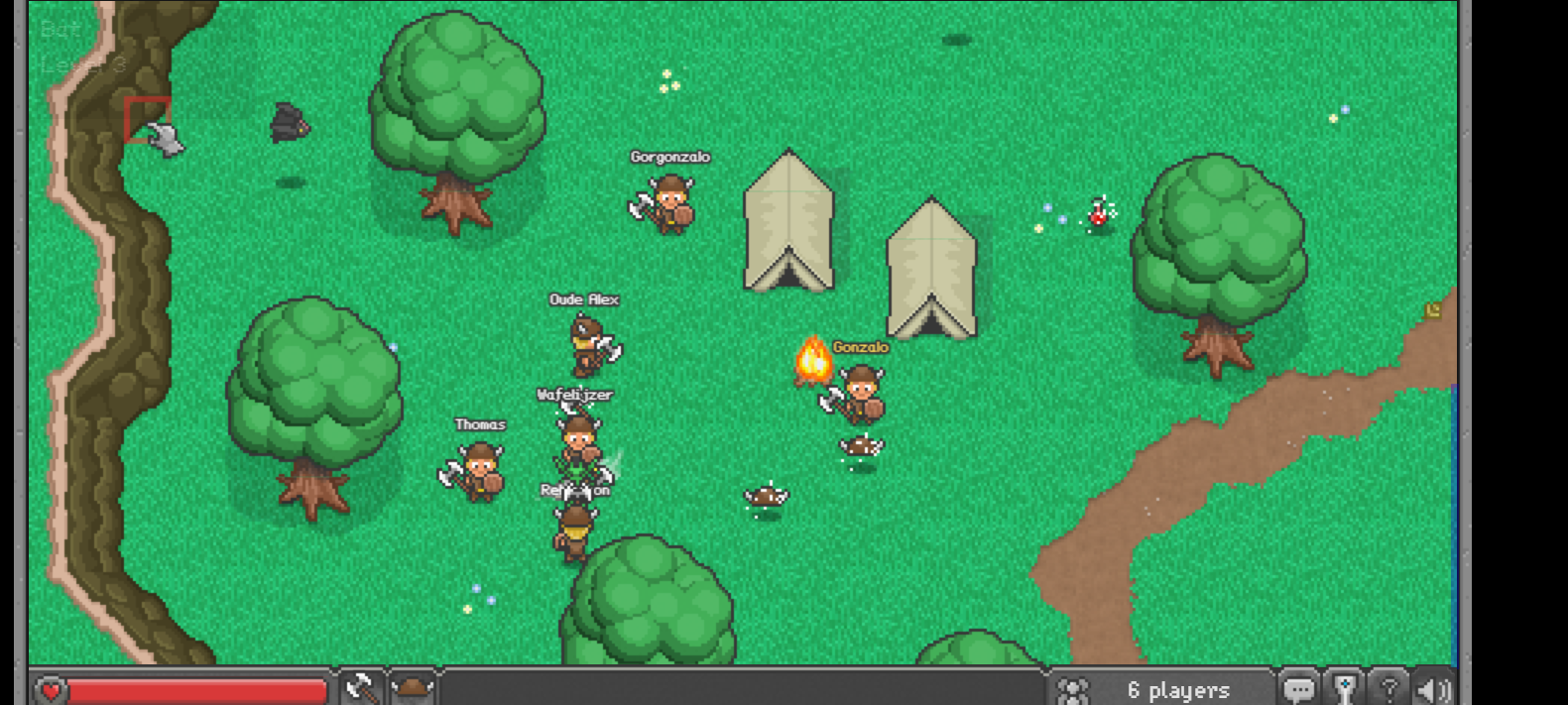
We beated the final boss!
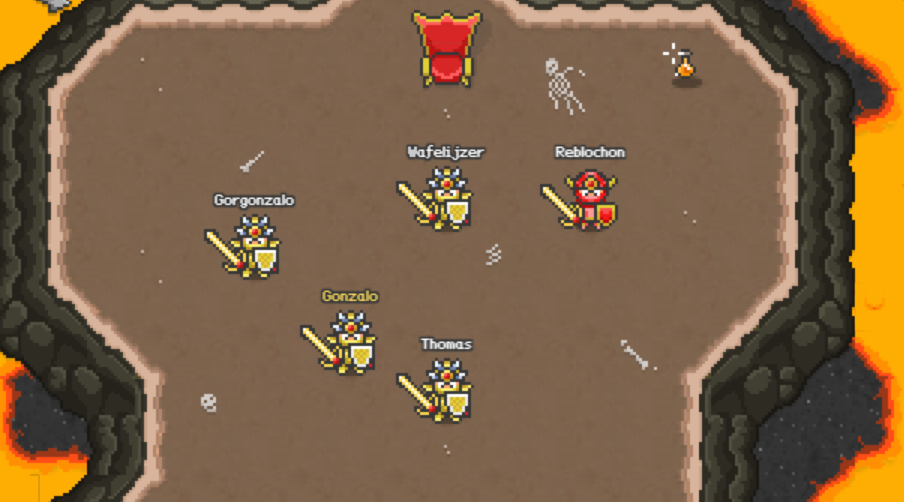
We managed to be 6 in total and it was quite smooth, except for a few occassions when we had to refresh the browser. If your game screen freezes, just hit refresh and log back in.
Setup
You can run BrowserQuest locally by cloning and following the instructions in this (GitHub repository)[http://www.littleworkshop.fr].
Lexicon – Technology (BrowserQuest & Redis)
Web Platform
A collection of technologies (HTML, CSS, JavaScript, etc.) that allow developers to create applications that run in web browsers.
WebSockets
A communication protocol that enables real-time, two-way interaction between a client (browser) and a server over a single, persistent connection — ideal for multiplayer games and live updates.
Canvas Element
An HTML element that allows drawing graphics, animations, and images directly in the browser using JavaScript.
Web Workers
A browser feature that allows JavaScript code to run in the background (in separate threads), preventing heavy tasks (like loading maps) from freezing the main webpage.
localStorage
A web storage feature that lets web apps store data in the browser persistently, even after the page is closed — used to save game progress or preferences.
Media Queries
A CSS feature that allows web pages to adjust their layout and design based on the device’s screen size or orientation (for example, resizing a game on mobile).
HTML Audio
A built-in HTML feature (audio element) that allows web pages to play sound effects or music without external plugins.
Node.js
Node.js is a runtime environment that allows you to run JavaScript code outside of a web browser, most commonly on servers. This means you can use the same language (JavaScript) for both the front end (browser) and back end (server) of a web application.
Key Concepts:
Built on Chrome’s V8 Engine: Node.js uses Google’s V8 JavaScript engine (the same one used in Chrome) to execute JavaScript very quickly.
Non-blocking & Asynchronous: Node.js uses an event-driven, non-blocking I/O model, meaning it can handle many operations (like reading files or processing network requests) at the same time without waiting for one to finish before starting another. → This makes it fast and efficient, especially for real-time applications.
Single-threaded Event Loop: Instead of creating multiple threads to handle tasks, Node.js uses a single main thread and an event loop that continuously checks for and processes events. This design keeps Node.js lightweight but still capable of handling thousands of simultaneous connections.
Package Ecosystem (npm): Node.js comes with npm (Node Package Manager) — the largest collection of open-source libraries in the world. Developers can install and use thousands of pre-built packages to speed up developmentPackage Ecosystem (npm)_: Node.js comes with npm (Node Package Manager) — the largest collection of open-source libraries in the world. Developers can install and use thousands of pre-built packages to speed up development
Redis
An open-source, in-memory data store used for caching, session storage, message brokering, and real-time analytics due to its speed and efficiency.
Redis Client Library
A software library that allows applications (like the BrowserQuest server) to communicate with a Redis database using code.
Donations
Feeling generous? Toss a coin to your blogger so he codes some other random project: Paypal 😀
Credits & License
- Code is licensed under MPL 2.0. Content is licensed under CC-BY-SA 3.0. See the LICENSE file for details.
- Originally created by Little Workshop and the Mozilla Foundation.
Disclaimer
Any views expressed in this post are solely those of the author and do not represent the opinions or policies of any affiliated organizations.